 Nudge
Nudge
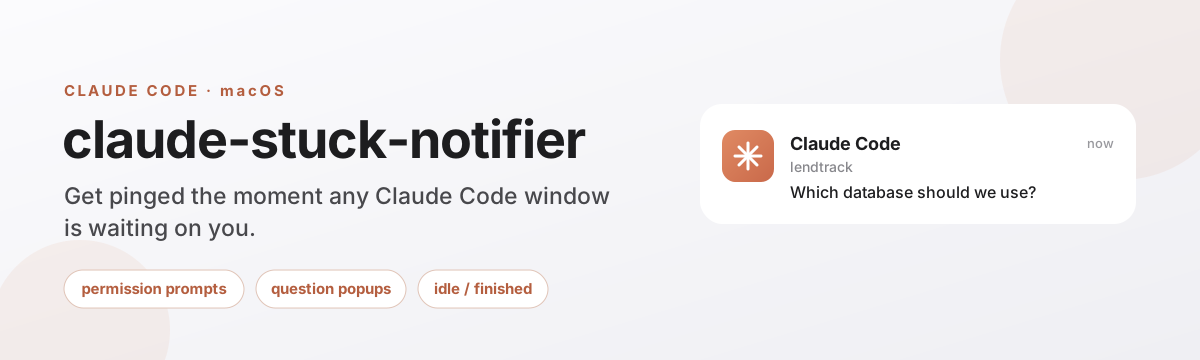
Claude Code is waiting. Nudge won't let you miss it.
Run several Claude Code windows at once and one of them quietly blocks — a permission prompt, a question, an idle finish — while you're heads-down in another. Nudge fires a native macOS banner the instant it happens, names which project, shows the real prompt, and a click jumps you straight to that window in VS Code.
Notarized Mac download coming soon — the one-line installer further down is the fastest way in for now.
A window blocks quietly. Nudge is the only thing watching all of them.
Claude Code emits hook events at exactly the moments a window needs you. Nudge doesn't poll or guess — it wires two of those hooks straight through to a native, clickable banner. The hooks are notify-only: they never block or change what Claude does.
Window blocks
A permission prompt, an AskUserQuestion popup, or Claude goes idle waiting for you.
Hook fires
Notification for permission/idle, PreToolUse (matcher AskUserQuestion) for a question.
Script routes it
A ~20-line shell script reads the JSON on stdin with jq and opens nudge://notify?…&cwd=….
Nudge posts, clickably
A UNUserNotificationCenter banner — click it and it focuses that project's VS Code window.
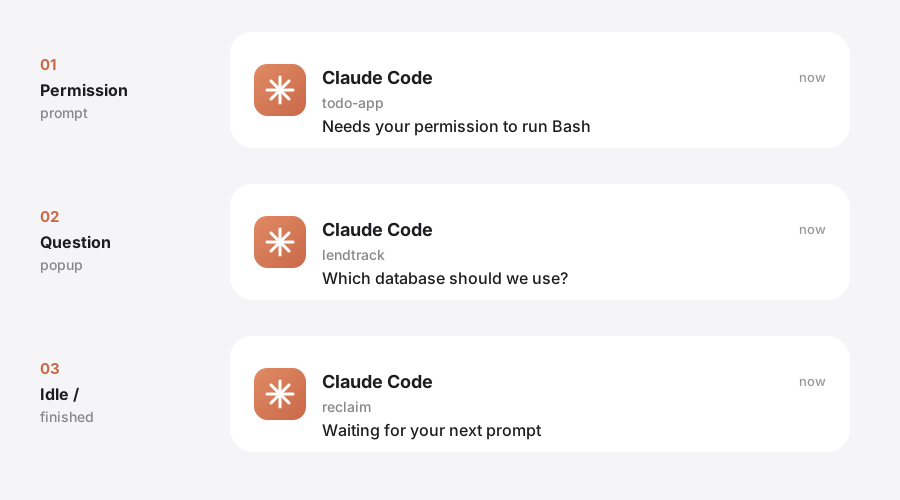
Same banner shape. The body is always the real thing.
Title is always Claude Code. Subtitle is always which project. The body is never generic — it's the actual permission message or the actual question text.
One menu bar app. One job: don't let you miss it.
Small surface, on purpose — it has to stay alive to catch the click, and nothing else.
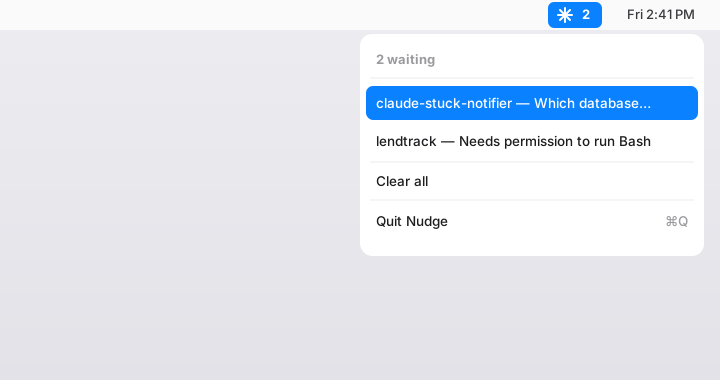
Live waiting count
The menu bar ✱ shows exactly how many Claude Code windows are waiting on you, updated the instant a hook fires.
The real prompt, not a ping
Every banner names the project and shows the actual message — Claude's permission text, or the real question — never a generic "something happened."
Click banner → focus VS Code
Nudge resolves com.microsoft.VSCode and runs the bundled code CLI to bring that project's window to the front.
De-dupes by project
Multiple hook events from the same window collapse into a single waiting entry instead of stacking banners.
Clear all
One click empties the list once you've caught up — no need to dismiss each banner one at a time.
Quit anytime
A normal menu bar app — ⌘Q or "Quit," nothing hidden running beyond the LaunchAgent that brings it back at login.
Fixes itself
If macOS notifications are off for Nudge, the menu offers a direct shortcut into System Settings instead of silently doing nothing.
Starts at login, stays alive
A LaunchAgent brings Nudge up at login and keeps it running — it has to stay alive to catch the click.
What "focus" actually means, and what it doesn't.
This is a small tool sitting on top of macOS APIs that have real limits. The candid version is more useful than a marketing one — here's exactly what Nudge can and can't do.
Focus is window-level, not exact-tab. macOS exposes no API to select a specific editor tab — Nudge brings the right VS Code window to the front. If two Claude sessions are running inside that same window, Nudge can't tell them apart either.
Folderless / home-dir sessions still get the full ping. Run Claude Code without a project folder and Nudge still fires the banner with the complete question text — but click-to-focus is only as precise as that session's cwd. It focuses a VS Code window open at that directory (often just your home folder) rather than a distinct project, and two folderless sessions sharing a cwd can't be told apart.
Verified working on macOS 26.3.1, where terminal-notifier's click callback is dead. Nudge's own README
Never miss a waiting window again.
Free, open source, and honest about what it can't do.
Notarized Mac download coming soon — the installer above is the fastest way in for now.
Two separate one-line steps: the hook installer wires up ~/.claude/settings.json (backed up first, merged idempotently — safe to re-run), then the app installer builds and signs Nudge.app and registers the LaunchAgent. Requires macOS 13+, jq (brew install jq), and Xcode command-line tools to build from source.